Caption Editing

Industry-standard caption editing, made easy for everyone

Import caption data in the formats widely used across broadcasting and video production, including ARIB STD-B24 and Videotron Lambda, and convert it to WebVTT and other formats for web delivery. A rich set of conversion features built around industry conventions is included, such as ruby text assignment and automatic full-width / half-width character conversion.

Editing Interface

An intuitive UI that turns anyone into a professional caption editor

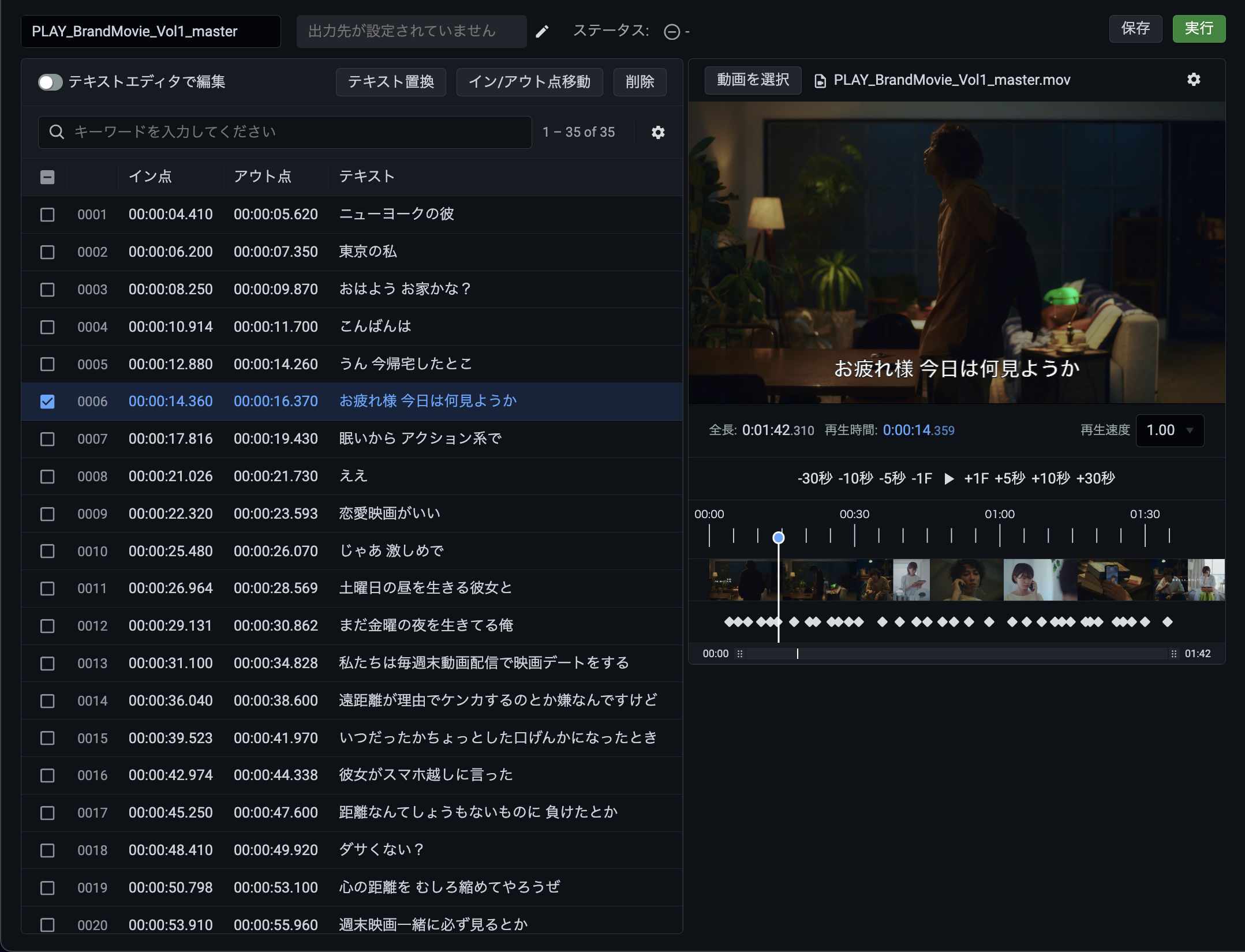
Double-click any caption to edit it in place, and see your changes instantly in the preview. When you have multiple edits to make, the bulk find-and-replace feature lets you update everything at once.

Features

A rich set of editing features for every need

Here are the editing features that only PLAY, with its deep knowledge of the industry's needs, could deliver.

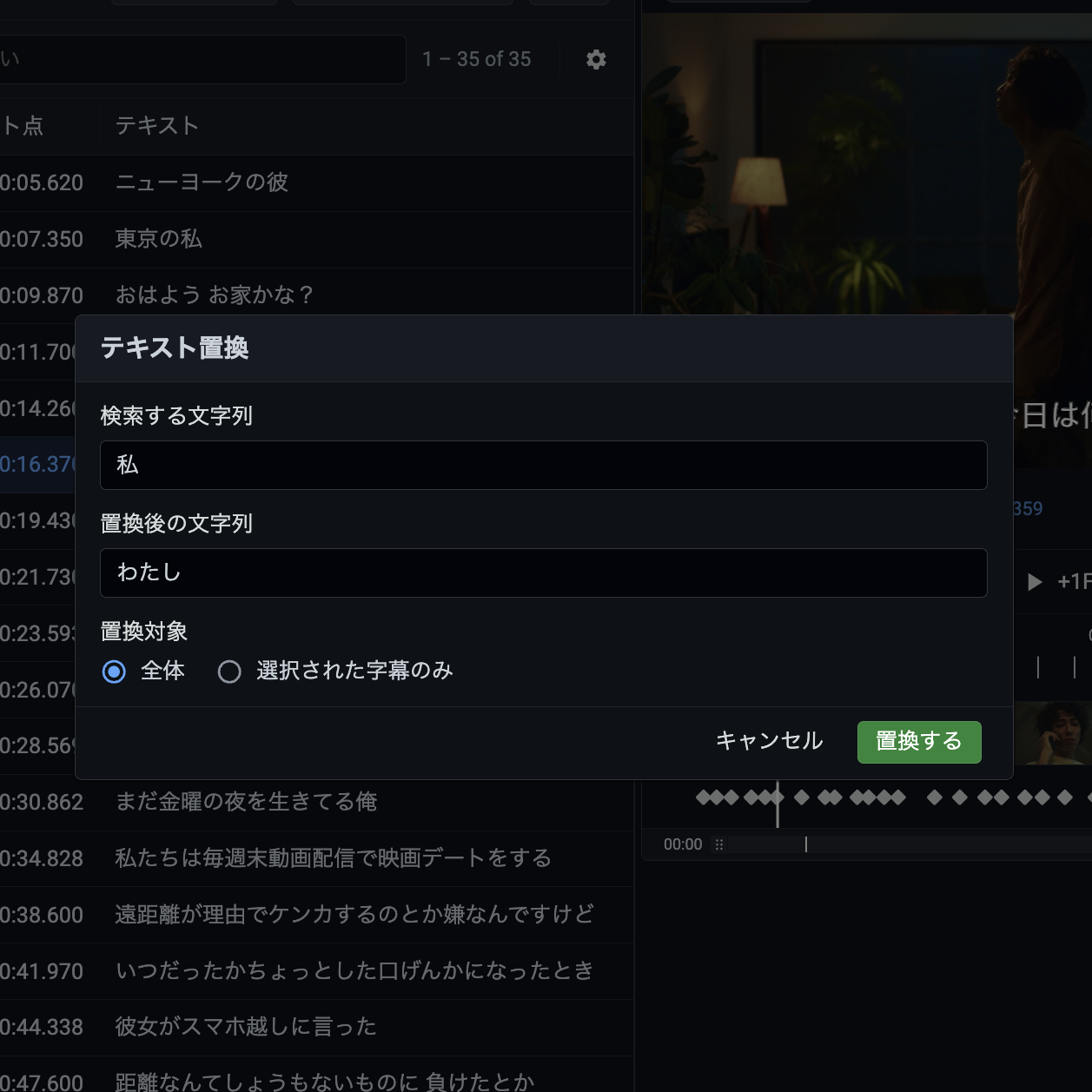
Bulk text replacement

Replace specific strings throughout your caption data in one operation — handy, for example, when you need to replace a speaker's name everywhere it appears. You can also limit the replacement to a specific range instead of applying it to every caption.

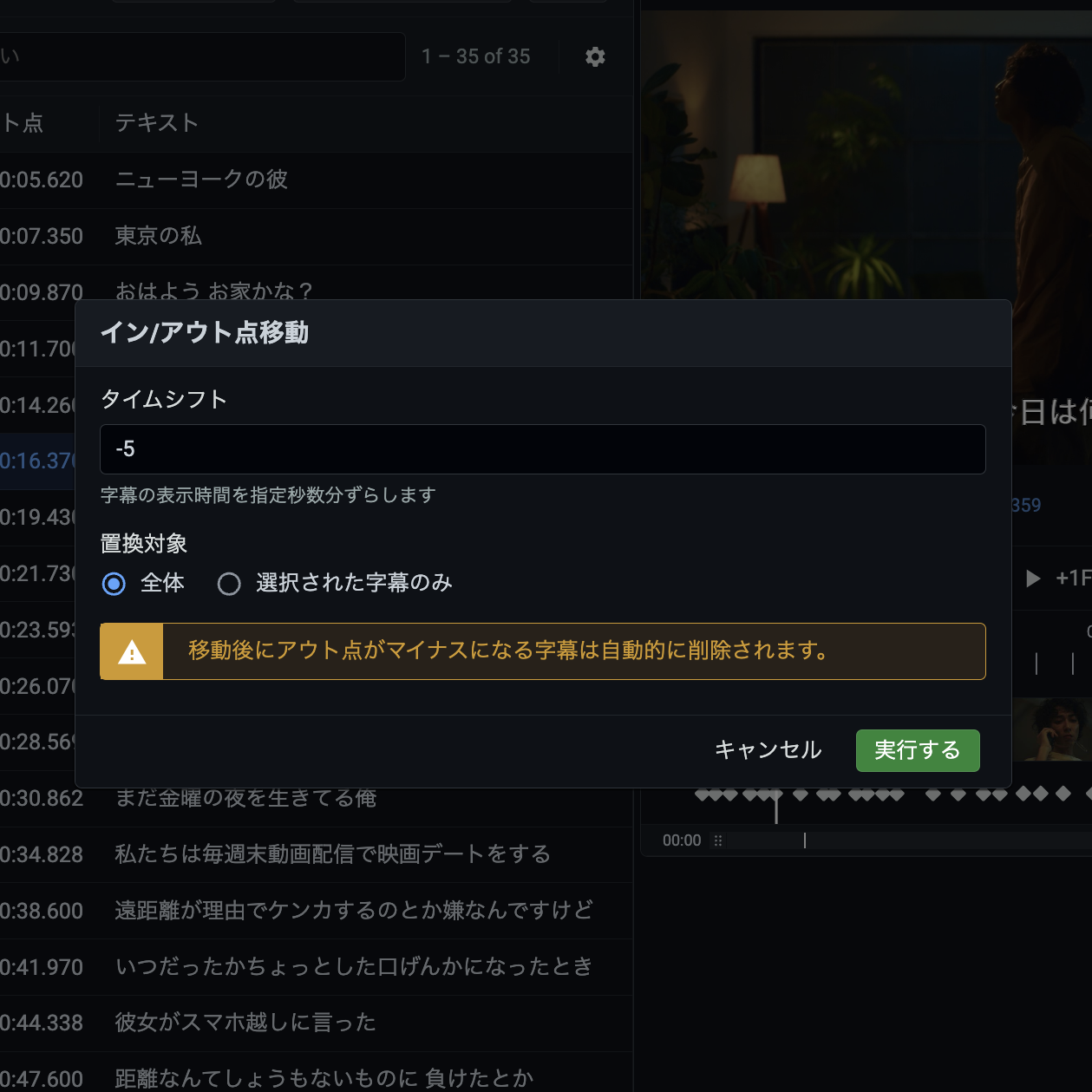
Bulk in / out point shifting

Shift caption display timing in bulk — useful, for example, when every caption needs to be delayed by 1 second. You can also shift just a specific range instead of moving every caption.

Available conversion options

A variety of options can be specified when converting between caption formats. The option values can be saved as presets, so if you use the same settings repeatedly, saving them as a preset in advance eliminates the setup work at conversion time.

Full-width conversion of single-digit numbers

Convert single-digit numbers in caption text to full-width characters, improving caption readability.

Vertical-to-horizontal text conversion

When converting Videotron Lambda captions to WebVTT, any vertically written captions are converted to horizontal text.

Full-width conversion of half-width characters in vertical text

Convert half-width characters in vertical captions to full-width, preventing them from being displayed rotated 90 degrees in the player.

Blink gap insertion

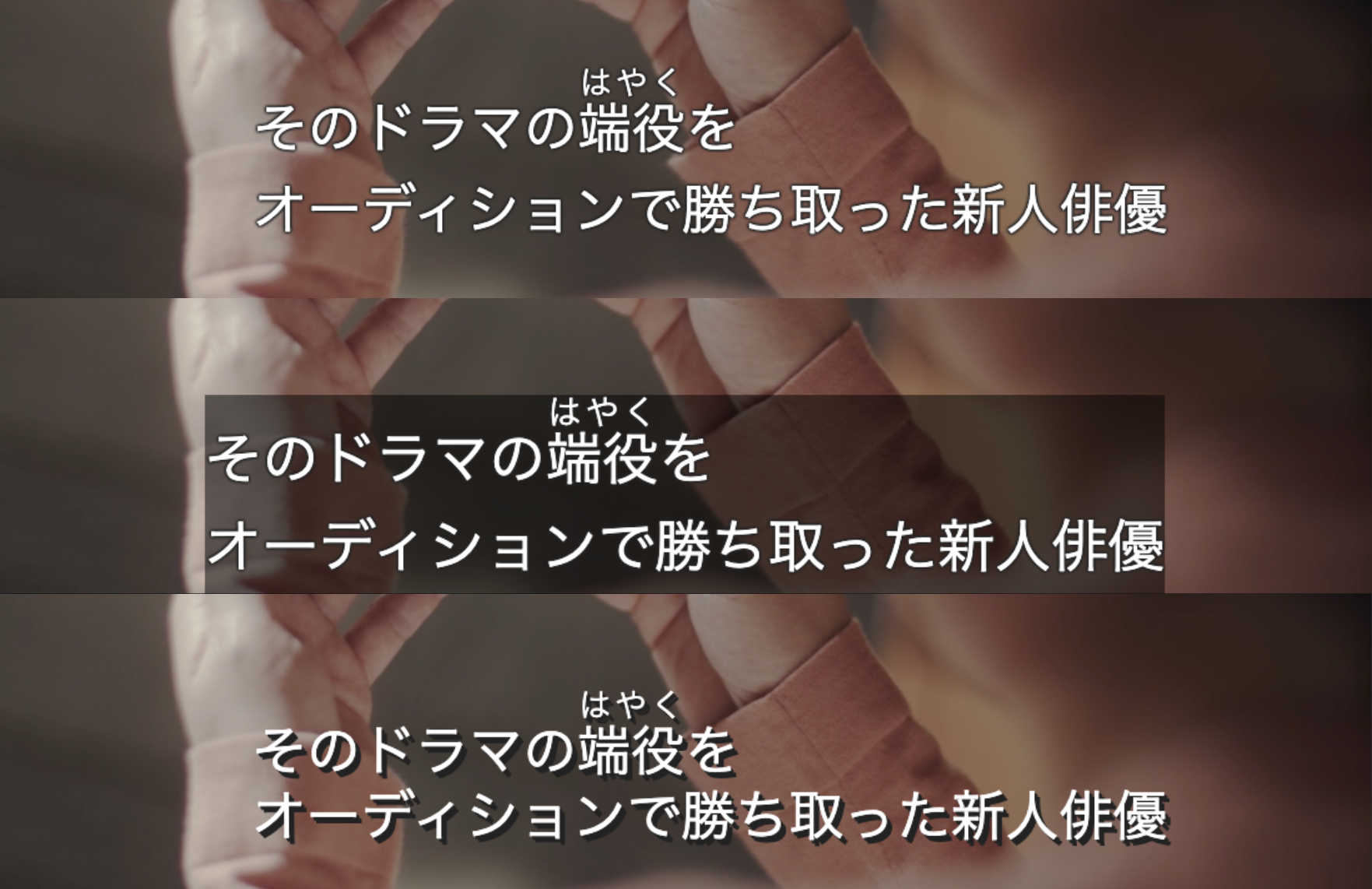
When the interval between consecutive captions is short, a brief blank gap can be inserted. The caption momentarily disappears at each transition, making it easier for viewers to notice that the caption has changed.

Italic conversion for monologues

When converting ARIB STD-B24 captions to Videotron Lambda, passages identified as monologue (inner-voice dialogue) can be converted to italics. By default, text enclosed in < and > is treated as monologue, but this behavior can be customized to your own rules.

Blank line insertion for top-positioned captions

For captions displayed at the top of the screen, a blank line can be inserted before the text to nudge them slightly downward. This prevents captions from overlapping logos, on-screen graphics, and other elements burned into the top of the video.

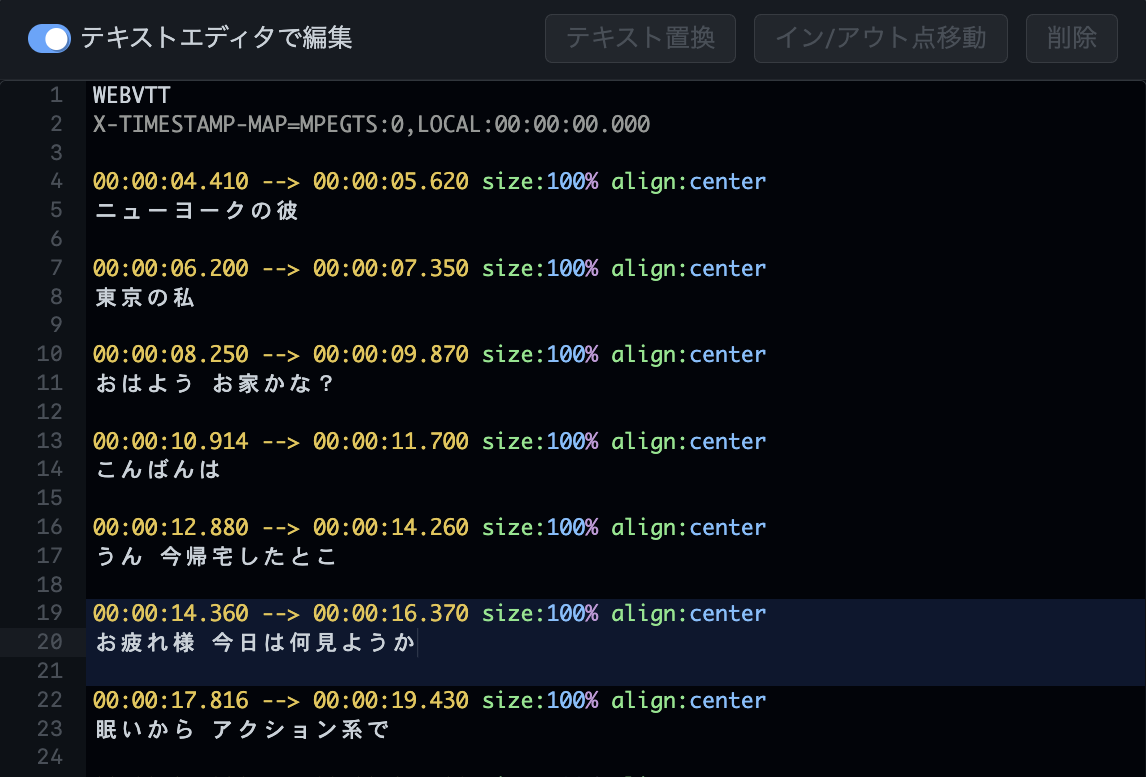
Text Editor Mode

Switch to editor mode and write even advanced parameters by hand

Edit captions in a text editor right inside the KRONOS DRIVE console, working directly on the parts you want to change. Your edits are reflected in the preview in real time, and syntax highlighting in the editor makes notation mistakes easy to spot.

ARIB / DRCS Gaiji Conversion

Manage gaiji conversion tables effortlessly with templates

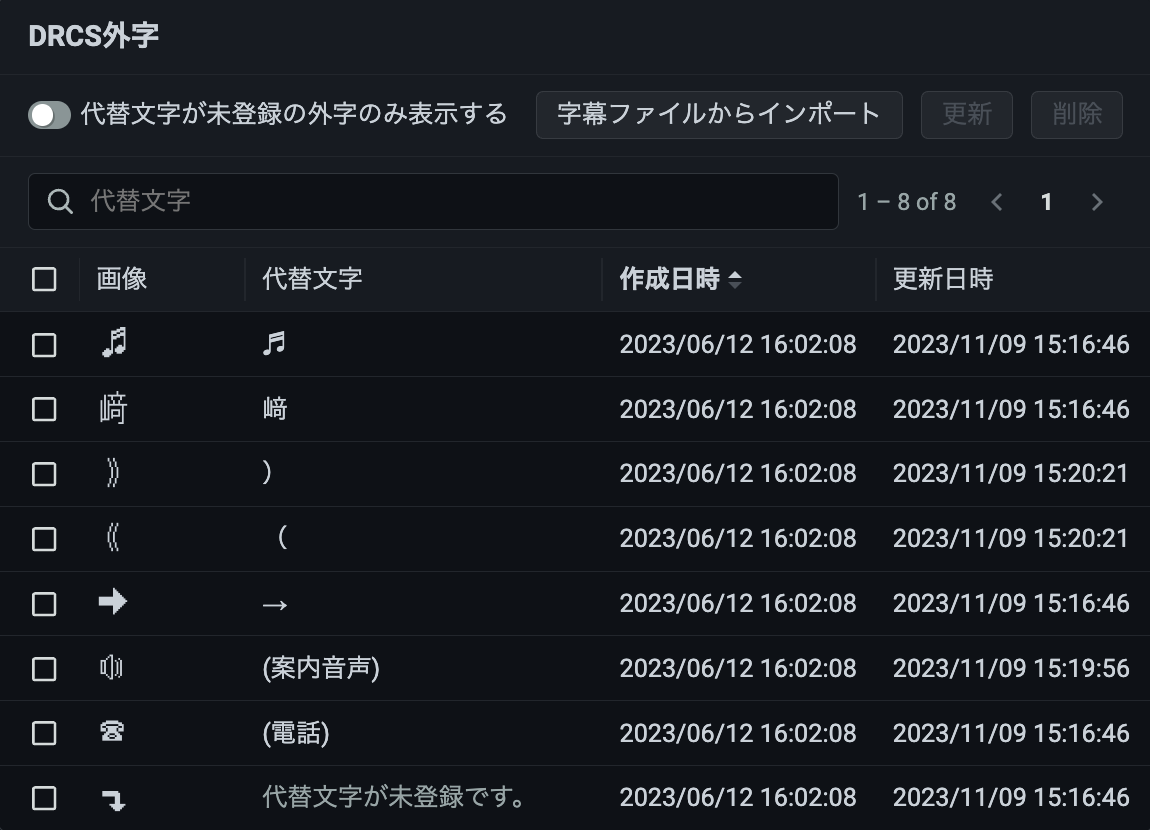
When converting ARIB STD-B24 or NAB T027-1996 captions to web delivery formats, the ARIB gaiji and DRCS gaiji (non-standard characters) contained in the source captions can be mapped to any characters you choose.
Mapping tables can be saved as caption gaiji mapping templates, so at conversion time you simply pick a saved template. If the source captions contain gaiji not covered by the template, you can assign substitute characters on the spot.

Automatic Ruby Assignment

Ruby text from ARIB / NAB captions works in web delivery too

When converting ARIB STD-B24 or NAB T027-1996 captions to web delivery formats, ruby characters in the source captions are output as <ruby> tags in WebVTT and as @ルビ control statements in Videotron Lambda.
In ARIB / NAB captions, ruby characters are nothing more than small-sized text — they carry no information about which characters they annotate. The KRONOS DRIVE caption conversion engine automatically infers, from the coordinates of the small-sized text, which characters each ruby annotation belongs to, and converts it into proper ruby.

Preview Display

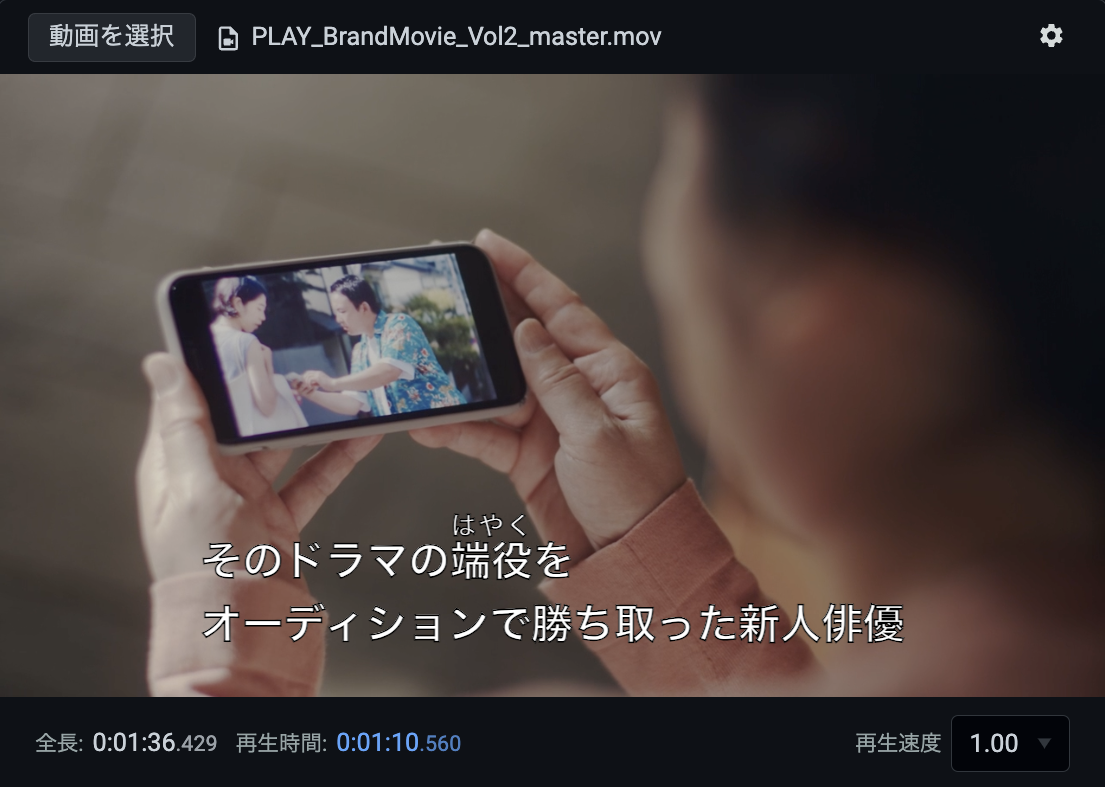
Fine-tune how captions appear in the preview

The preview in the caption editor lets you freely configure font size, background color, and more, so you can check how captions will look under conditions close to your actual delivery environment.
Adjustable parameters
  • Margins around the video area
  • Font color
  • Font size
  • Font height
  • Outline decoration
  • Background color

Specifications

Support for a wide range of input and output formats

Supported input formats
  • WebVTT (Web Video Text Tracks Format)
  • Videotron Lambda
  • SCC (Scenarist Closed Caption)
  • ARIB STD-B24
  • NAB T027-1996
Supported output formats
  • WebVTT (Web Video Text Tracks Format)
  • IMSC (TTML Profiles for Internet Media Subtitles and Captions)
  • Videotron Lambda

EDL File Integration

Automatic timing adjustment synced to your video edits

The KRONOS DRIVE caption editor also integrates with EDL (Edit Decision List) files — files that record a video's cut points and edit positions. Load an EDL file alongside your captions during conversion, and caption display timing is adjusted automatically.

Automated Editing

Even more powerful combined with Workflow

You have a mountain of caption data and need to convert all of it to a specific format. What do you do? Combined with the KRONOS DRIVE Workflow feature, you can process large volumes of caption data in bulk and automate routine editing operations.
  • Automatically convert ARIB caption files to WebVTT on upload
  • Shift timing 5 seconds earlier when a WebVTT caption file is uploaded
  • Convert single-digit numbers to full-width when a Lambda caption file is uploaded

Talk to an Expert

Our experienced team is here to help.
  • A demo of the features you are interested in
  • Architecture guidance for your use case
  • Recommendations on the best cost plan and volume discounts
Products

What products are you looking for? (Optional)

Handling of Personal Information

PLAY, inc. (the "Company") handles the personal information you provide through this form as described below. Please review the following and give your consent if you agree.

1. Name of the organization
Organization name: PLAY, inc.

2. Personal information protection manager (title, department, and contact)
Personal information protection manager: Manager, General Affairs & Information Systems Group, Corporate Management Division
Department: General Affairs & Information Systems Group, Corporate Management Division
Contact: Shibuya Solasta 15F, 1-21-1 Dogenzaka, Shibuya-ku, Tokyo 150-0043, Japan
Email: privacy@play.jp

3. Purposes of use of personal information
- To respond to your inquiry
- To provide information about our services and send materials
- To communicate as necessary for providing and performing our services
- For marketing purposes related to our services
- To operate and manage training sessions, seminars, and events held by the Company

4. Provision of personal information to third parties
The Company will not provide the personal data you provide to any third party, except with your consent or as permitted by laws and regulations.

5. Outsourcing of personal information handling
The Company outsources part of its operations to external contractors in order to provide better services to customers, and may entrust personal information to such contractors. In such cases, the Company selects contractors that are recognized as handling personal information appropriately, and requires them, through contracts or other means, to properly manage and keep personal information confidential and to take the measures necessary to prevent leaks of your personal information. The data you provide will be stored in a cloud service operated by such a contractor.

6. Requests for disclosure of retained personal data and contact point
You may contact the Company's inquiry desk regarding requests concerning your retained personal data and records of provision to third parties (notification of the purpose of use, disclosure, correction, addition, or deletion of content, suspension of use, erasure, suspension of provision to third parties, or disclosure of records of provision to third parties). Upon verifying your identity, the Company will respond within a reasonable period of time.
The Company's contact point for personal information is as follows.

Shibuya Solasta 15F, 1-21-1 Dogenzaka, Shibuya-ku, Tokyo 150-0043, Japan
PLAY, inc. Personal Information Inquiry Desk (Complaints and Consultation Desk)
Email: privacy@play.jp

7. Voluntary nature of providing personal information and consequences of not providing it
Providing your personal information to the Company is voluntary. However, please note that if you do not provide the information necessary for the intended services, we may not be able to respond to your inquiry or provide the services you request.

8. Information collected automatically when you access this website
The Company may collect information about visitors through cookies to ensure the security of this website and to improve user services. However, the Company does not collect such information as personal information.
If you do not agree, please return to the home page.