Video Editing

Edit video right in your browser, from anywhere

With KRONOS DRIVE editing projects, you can quickly edit VOD and live-streamed video directly in your browser. There is no need to download files to your PC or launch desktop editing software — everything happens in the browser.

Editing Interface

An online editing tool with intuitive controls and unique capabilities

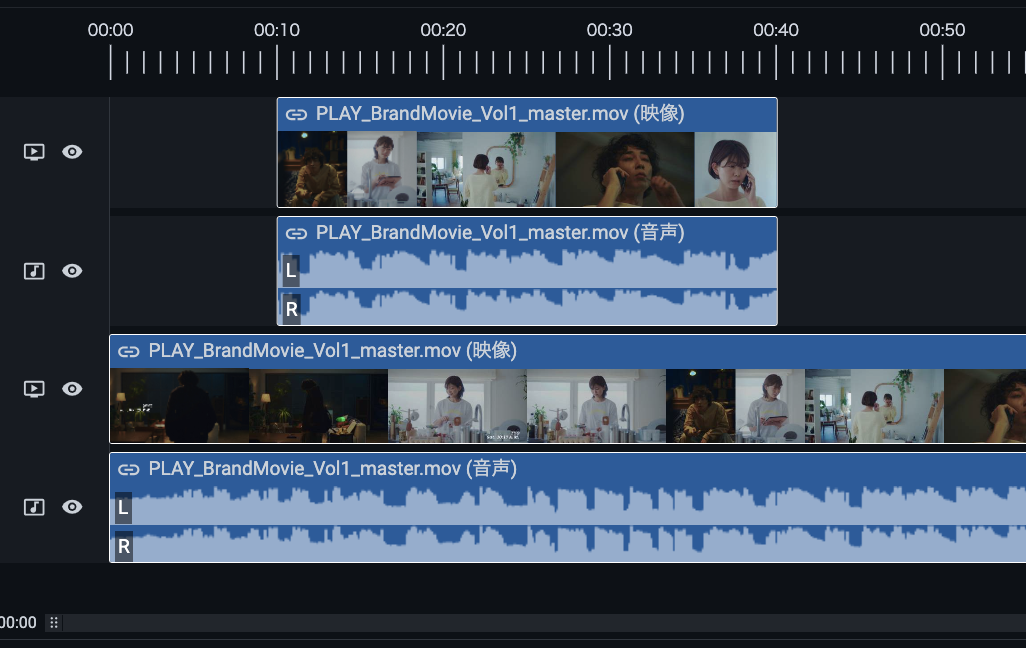
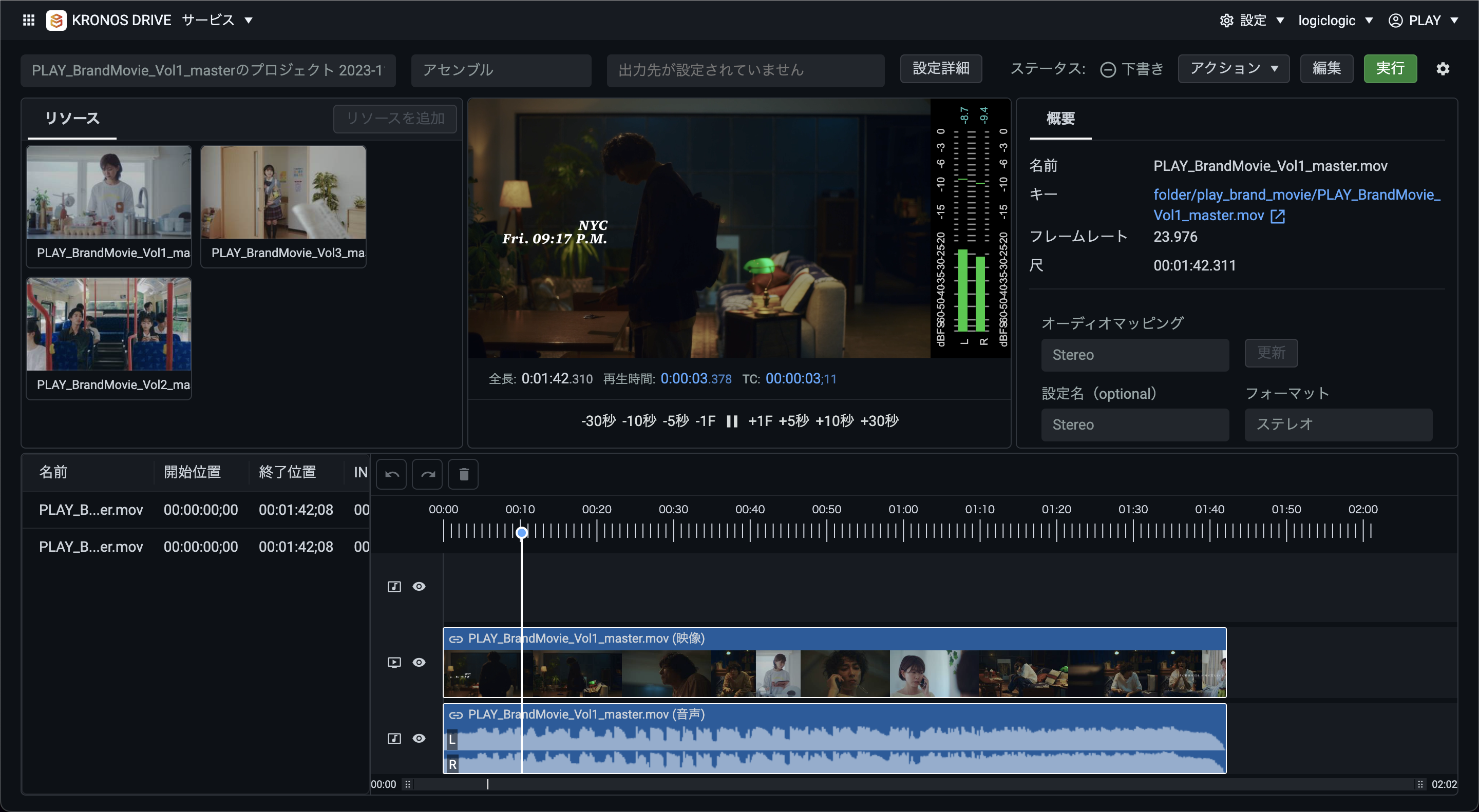
Drag and drop resources onto the timeline to add and rearrange them with intuitive controls. The editor runs entirely in the cloud and offers capabilities you won't find anywhere else, such as live video editing and automatic trimming.

Features

A rich set of editing features for every need

Supported input formats
  • QuickTime (*.mov)
  • MP4 (*.mp4, *.m4v)
  • MPEG-2 TS (*.m2ts, *.ts)
  • AVI (*.avi)
  • MXF (*.mxf)
Supported output codecs
  • H.264/AVC
  • Apple ProRes
  • AAC
  • AIFF
  • WAV
Configurable settings (partial list)
  • Resolution and bitrate
  • Encoding passes (1-pass / 2-pass)
  • Bitrate control mode (VBR / CBR)
  • Sampling rate
  • GOP size
  • Number of B-frames
  • H.264 profile/level
  • Entropy mode
  • Bit depth
  • Interlace mode
  • S3 / WebDAV output
Editing features
  • Timeline generation from EDL / broadcast exchange metadata
  • Timeline editing
  • Audio waveform display
  • Timeline registration via API
  • Black-frame insertion
  • Show / hide layers
  • Video / image overlays
  • Video / audio replacement
  • Keyboard shortcuts
  • Broadcast exchange metadata export
  • EDIUS sequence marker export

Rich Feature Set

Advanced video editing, entirely in the cloud

Preview

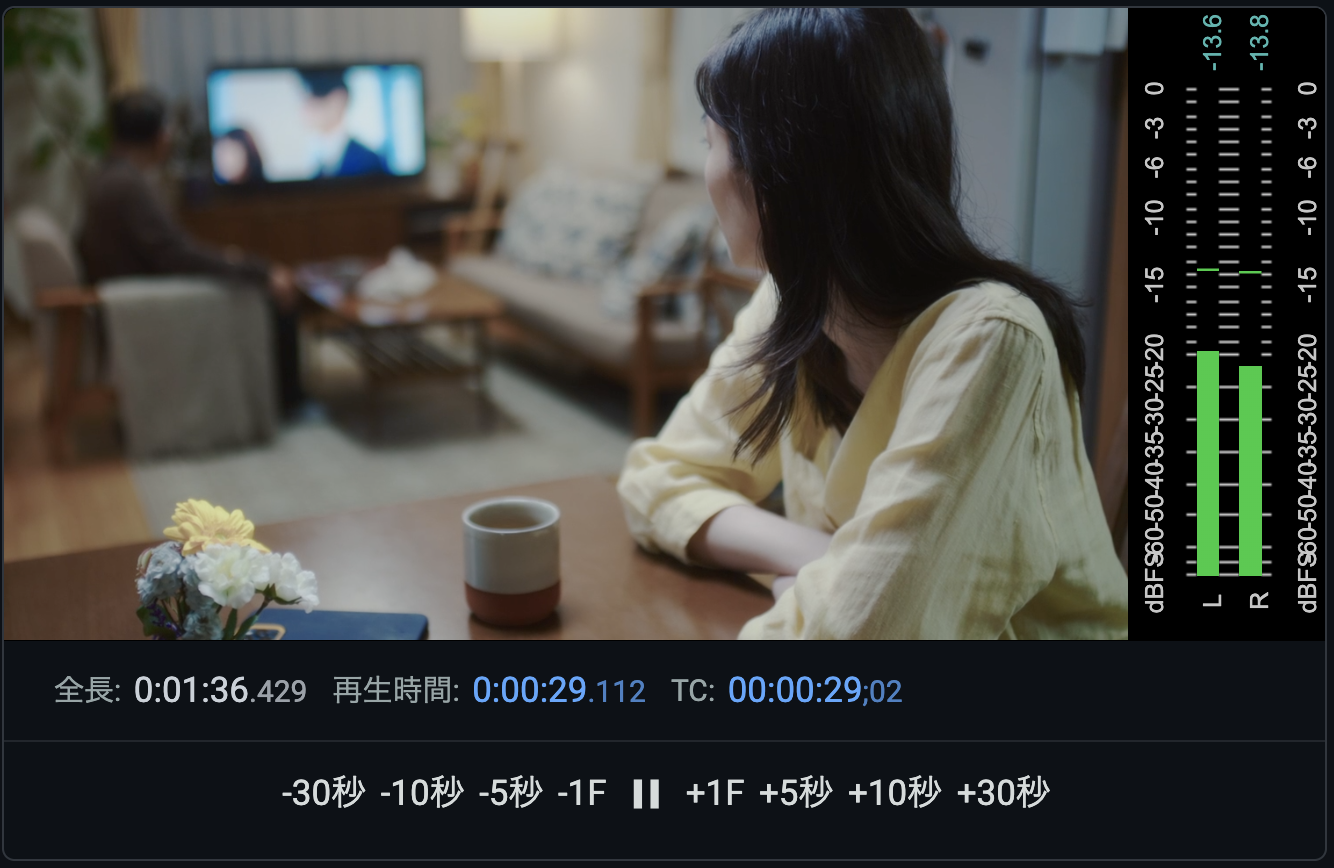
Preview your edits before rendering the output. You can step forward and backward frame by frame for precise, detailed work. Timecode is displayed as well, and you can seek to a specific timecode.

Fine-tune any footage

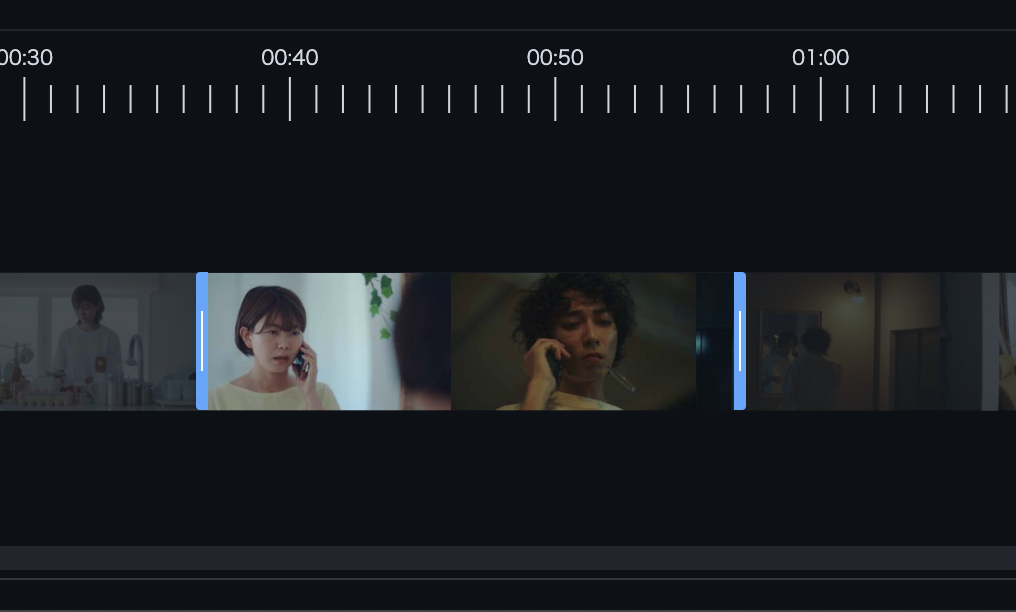
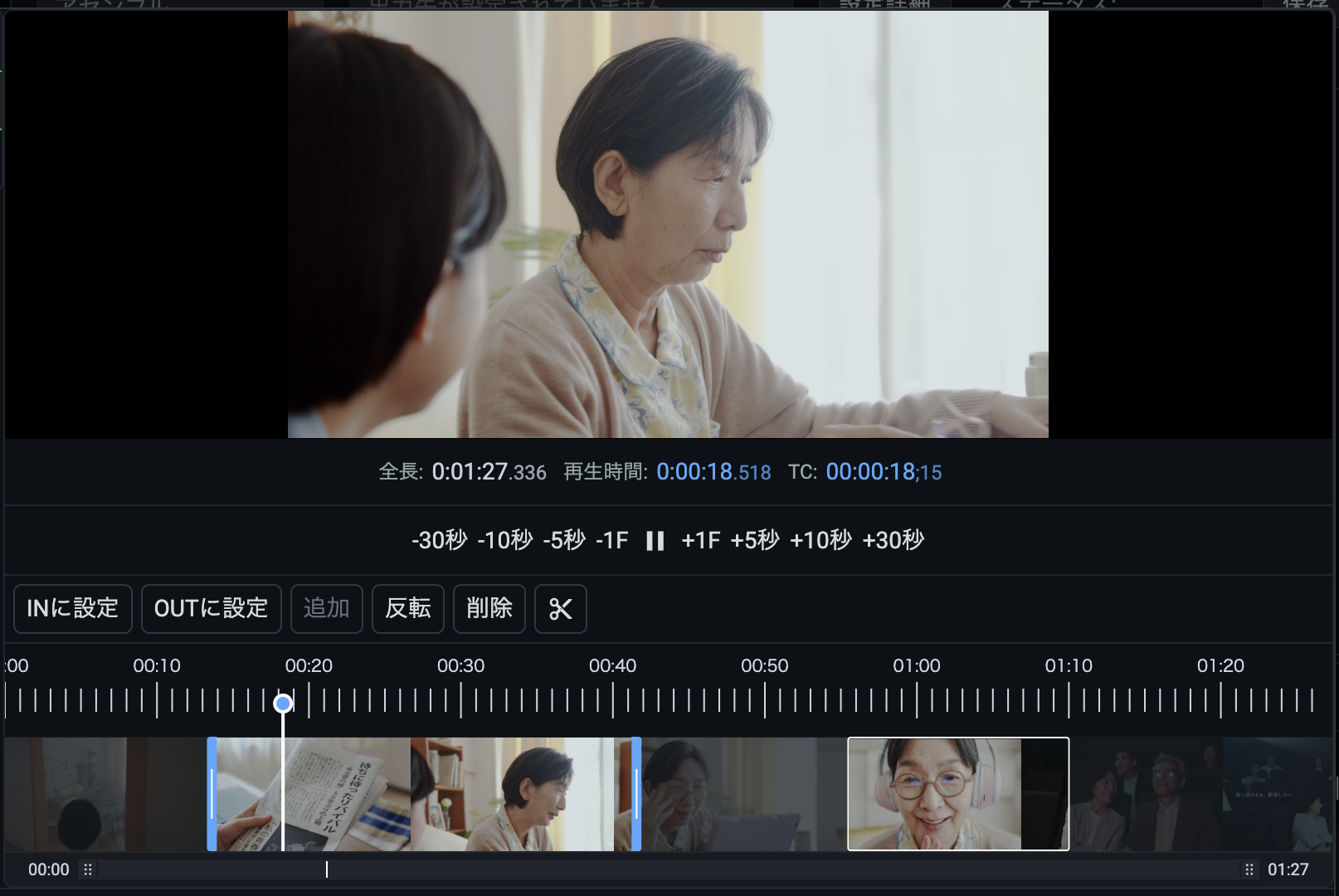
Trim the beginning, end, or any middle section of a video with frame-level precision to remove unwanted footage. You can also insert a fixed duration of black between the segments you cut out.

Multiple layers

Overlay other videos and images as layers on top of the source video. This enables flexible edits such as masking parts of a program for rights reasons or muting audio that cannot be streamed due to licensing restrictions.
Example uses (partial list)
  • Replacing video segments
  • Muting specific portions of the audio
  • Adding subtitles

Turn finished broadcast masters into VOD video automatically

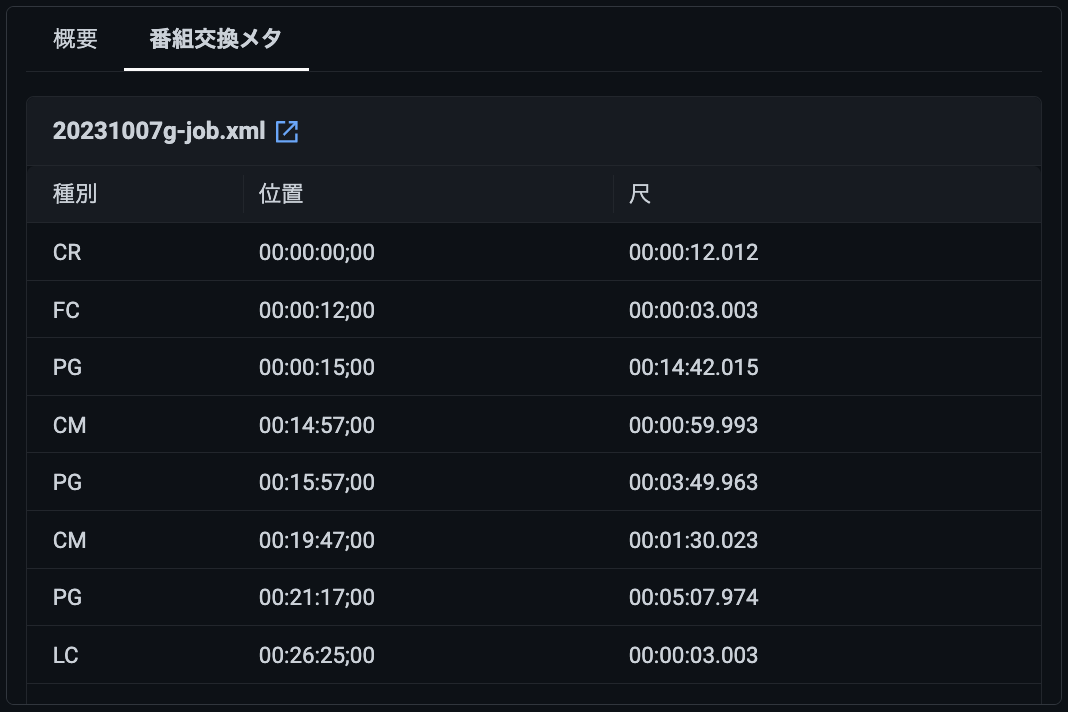
Simply deliver a finished master and its broadcast exchange metadata to KRONOS DRIVE, and the editor can import them and trim the video automatically. If the blocks defined in the metadata are misaligned with the video, you can adjust them on screen while reviewing the footage.

Advanced audio mapping

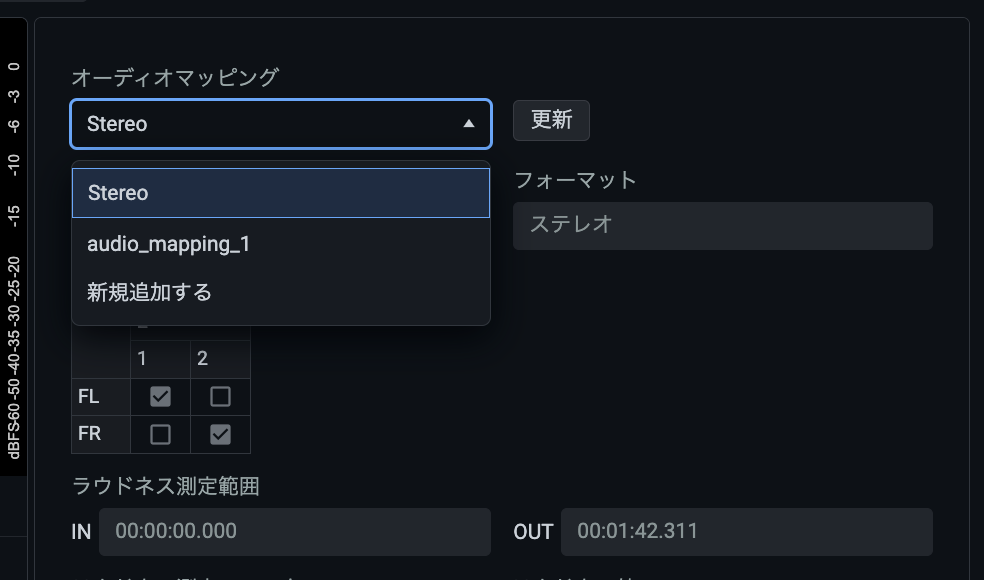
By analyzing audio in advance with KRONOS DRIVE's analysis feature, you can switch between multiple audio channels instantly from the editing interface.

Built for efficient work

Keyboard shortcuts

Seek through the preview and perform other operations from the keyboard, cutting out unnecessary mouse and trackpad work.

Presets

Save encoding and output settings as presets in advance so you never have to fill in tedious configuration fields again.

Next-Generation Capability

The only cloud editing tool that can use live video as a source

When you publish a live stream as on-demand archive footage afterward, do you record the stream, then edit the recording, then publish it? With KRONOS DRIVE, you don't have to wait for the live stream to end — you can pull the live stream itself into the video editor as a source and start editing right away. It is the only product that lets you build the archive version in real time while the live stream is still running, for maximum efficiency.
  • Use PLAY CLOUD live ingests as editing sources
  • Create and edit rough cuts from the HLS stream while the event is still live
  • STREAKS live channels are also supported

More Features You Won't Find Anywhere Else

Automatic broadcast exchange metadata generation

When a finished master split across multiple files is stitched back together, you may need a metadata file that matches the combined video. KRONOS DRIVE can export broadcast exchange metadata directly from an editing project.
  • Supports ARIB TR-B31, the standard for digital television broadcasting

Flexible Trimming

Choose exactly which parts of a resource to use

When adding a resource to the timeline, you can select just the parts you need — one segment or several. Even if there is unwanted footage in the middle of a video, you can trim around it with full flexibility.

Integration with Other Editing Software

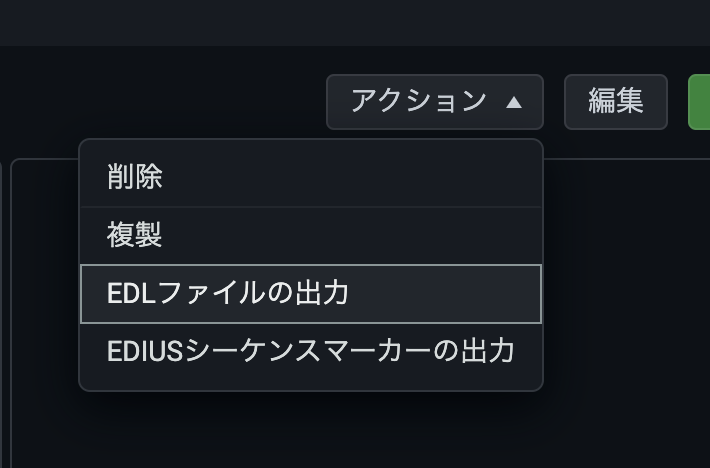
Export EDL files

Timelines created in an editing project can be exported as EDL files for use in Final Cut Pro 7, Final Cut Pro X, Adobe Premiere, Avid Media Composer, and other editing software.

Workflow Integration

Make files editable just by dropping them into storage

With KRONOS Workflow, simply uploading video to KRONOS DRIVE triggers resource analysis and prepares everything automatically, ready to use in an editing project.

Talk to an Expert

Our experienced team is here to help.
  • A demo of the features you are interested in
  • Architecture guidance for your use case
  • Recommendations on the best cost plan and volume discounts
Products

What products are you looking for? (Optional)

Handling of Personal Information

PLAY, inc. (the "Company") handles the personal information you provide through this form as described below. Please review the following and give your consent if you agree.

1. Name of the organization
Organization name: PLAY, inc.

2. Personal information protection manager (title, department, and contact)
Personal information protection manager: Manager, General Affairs & Information Systems Group, Corporate Management Division
Department: General Affairs & Information Systems Group, Corporate Management Division
Contact: Shibuya Solasta 15F, 1-21-1 Dogenzaka, Shibuya-ku, Tokyo 150-0043, Japan
Email: privacy@play.jp

3. Purposes of use of personal information
- To respond to your inquiry
- To provide information about our services and send materials
- To communicate as necessary for providing and performing our services
- For marketing purposes related to our services
- To operate and manage training sessions, seminars, and events held by the Company

4. Provision of personal information to third parties
The Company will not provide the personal data you provide to any third party, except with your consent or as permitted by laws and regulations.

5. Outsourcing of personal information handling
The Company outsources part of its operations to external contractors in order to provide better services to customers, and may entrust personal information to such contractors. In such cases, the Company selects contractors that are recognized as handling personal information appropriately, and requires them, through contracts or other means, to properly manage and keep personal information confidential and to take the measures necessary to prevent leaks of your personal information. The data you provide will be stored in a cloud service operated by such a contractor.

6. Requests for disclosure of retained personal data and contact point
You may contact the Company's inquiry desk regarding requests concerning your retained personal data and records of provision to third parties (notification of the purpose of use, disclosure, correction, addition, or deletion of content, suspension of use, erasure, suspension of provision to third parties, or disclosure of records of provision to third parties). Upon verifying your identity, the Company will respond within a reasonable period of time.
The Company's contact point for personal information is as follows.

Shibuya Solasta 15F, 1-21-1 Dogenzaka, Shibuya-ku, Tokyo 150-0043, Japan
PLAY, inc. Personal Information Inquiry Desk (Complaints and Consultation Desk)
Email: privacy@play.jp

7. Voluntary nature of providing personal information and consequences of not providing it
Providing your personal information to the Company is voluntary. However, please note that if you do not provide the information necessary for the intended services, we may not be able to respond to your inquiry or provide the services you request.

8. Information collected automatically when you access this website
The Company may collect information about visitors through cookies to ensure the security of this website and to improve user services. However, the Company does not collect such information as personal information.
If you do not agree, please return to the home page.